Zebra Programming Language (ZPL II) and Raw Printing
25 Feb

Zebra Programming Language (ZPL II) and Raw Printing

Zebra Programming Language (ZPL) is the command language used by all ZPL compatible printers. It is a command based language used by the printer as instructions for creating the images printed on the labels. This document contains links to manuals, examples, and specific information related to specific ZPL commands.

Websiteflix has programmers who are familiar working with programming Zebra ZPL II and RAW languages.

We have extended experience with Raw commands, RFID printing and Zebra ZPL II, QR Code printing, Label Printing, Thermal Label Printing, Shipping Label printing and more.

Do you need help with your application? Call us today at 954-323-2004 we can assist you!

^XA
^LH30,6161
^FO20,10
^ADN,90,50
^FDWebsiteflix.com^FS
^XZ

Resources: https://www.zebra.com/us/en/support-downloads/knowledge-articles/zpl-command-information-and-details.html

ADA, Section 508, WCAG 2.1 AA – Website Accessibility & the Law: Why Your Website Must Be Compliant
03 Feb

ADA, Section 508, WCAG 2.1 AA – Website Accessibility & the Law: Why Your Website Must Be Compliant

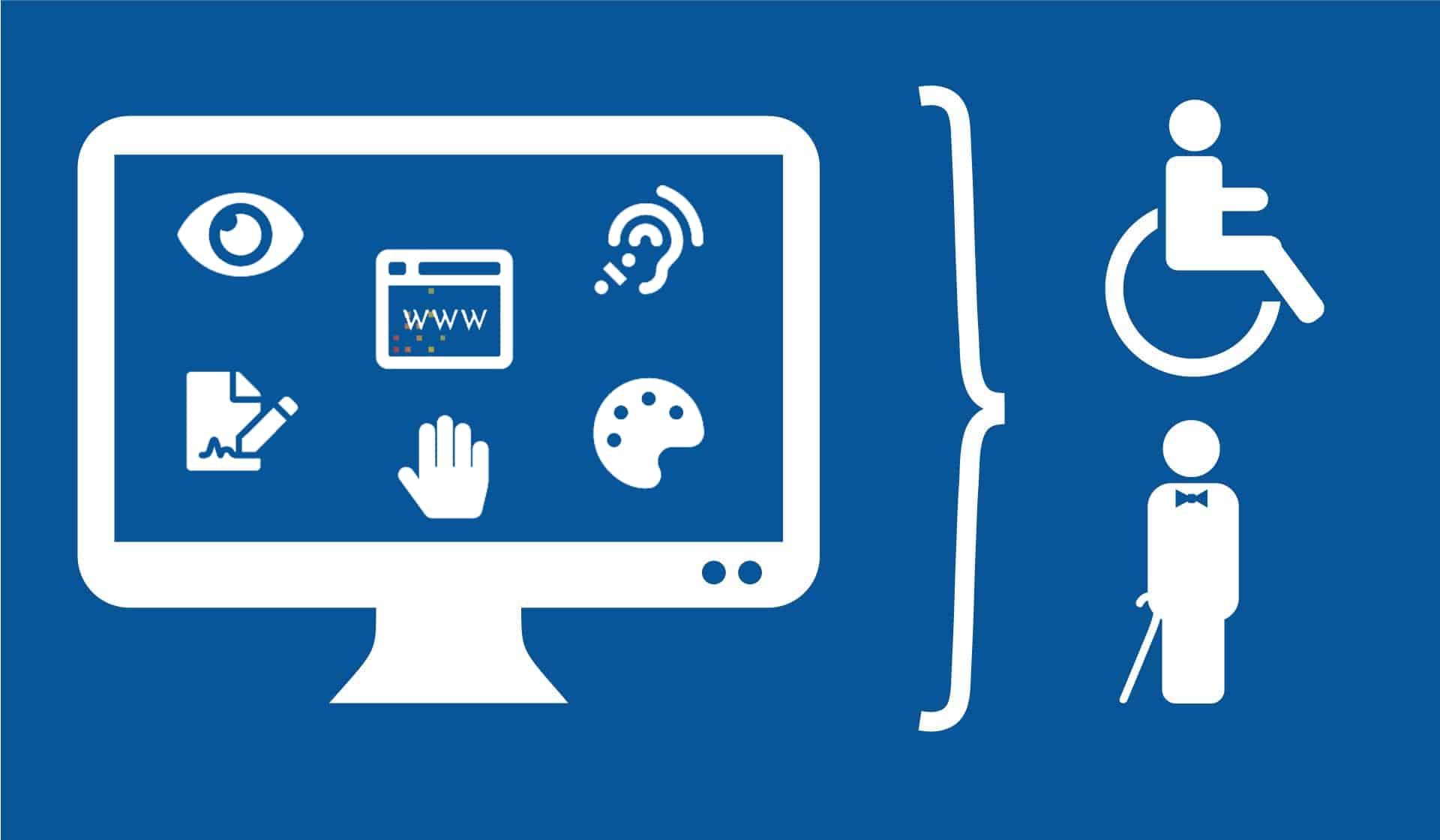
The Americans with Disabilities Act (ADA) was developed in 1990 and is meant to ensure that people with disabilities have the same opportunities as anyone else. … Basically, this means that your website needs to be accessible to people who have disabilities that affect their hearing, vision or physical capacities

Website Accessibility & the Law: Why Your Website Must Be Compliant. In the U.S., apart from federal, state, and local government websites which must meet Section 508 regulations, there are no enforceable ADA legal standards to follow for website accessibility.

What is the ADA?

The Americans with Disabilities Act (ADA), which was passed in 1990, is an important piece of legislation that protects people with disabilities throughout public life. Essentially, the law helps to ensure that anyone with a disability will receive the same opportunities that an individual without a disability has in the public sector and some parts of the private sector.

Within the ADA, five specific sections clarify where the law applies:

  1. Title I – Employment
  2. Title II – Public Services: State and Local Government
  3. Title III – Public Accommodations and Services Operated by Private Entities
  4. Title IV – Telecommunications
  5. Title V – Miscellaneous Provisions

The ADA has adopted WCAG 2.1 AA as its core guidelines for website accessibility and online content. Many point to Title III and classify most websites as “places of public accommodation.” For the most part, the internet is a public resource and impacts public life. This means that the ADA is enforceable by law. As the ADA prevents discrimination based on ability, websites that discriminate against members of the public who require accommodations may be considered in violation of federal ADA laws.

To learn more about how the Accessibility Widget complies with ADA regulations please contact us.

What is WCAG?

The Web Content Accessibility Guidelines (WCAG) are a set of standards created by the World Wide Web Consortium (W3C). The W3C is an international community that develops regulations and recommendations for the internet to help ensure its longevity and usability. The W3C established the WCAG guidance to provide detailed guidelines for website owners, designers, and developers to create websites and digital content and markup through accessible approaches that work seamlessly with assistive technologies used by people with disabilities.

WCAG compliance is divided into three levels of success criteria:

  • Level A
  • Level AA
  • Level AAA (the strictest standards)

The WCAG 1.0 guidelines were initially published in 1999, were updated in 2008 (WCAG 2.0) and, most recently, in 2018 (WCAG 2.1). As the internet evolves so quickly, the guidelines must be reviewed and revised continually. Each update strives to include the most recent technological advancements and more comprehensive guidelines.

WCAG 3.0 is scheduled for release in 2021 and is intended to be a much more inclusive set of guidelines that are easier to understand and implement.

To learn more about how the Accessibility Widget complies with WCAG 2.1, please contact us.

What is Section 508?

Section 508 refers to a part of the Rehabilitation Act of 1973. When the Rehabilitation Act was created, its goal was to prevent disability discrimination in federal organizations, federal programs, federal contractors, and similar groups. This Act was amended in 1998 to include Section 508 because of the technological advancements being made at the time.

As a result of Section 508, federal agencies must create, maintain, and distribute all electronic information and technology in ways that are accessible for people with disabilities. This helps to ensure that all federal agencies and programs are giving members of their organizations and members of the public the ability to access information and participate in related activities without barriers.

Section 508 has adopted the WCAG 2.1 AA as guidelines for ensuring that websites are authored and structured in an accessible and inclusive manner to work as seamlessly as possible with those relying on assistive technologies.

To learn more about how the Accessibility Widget complies with Section 508 regulations, please contact us.

National Cybersecurity Awareness Month 2019
07 Oct

National Cybersecurity Awareness Month 2019

The line between our online and offline lives is indistinguishable. In these tech-fueled times, our homes, societal well-being, economic prosperity and nation’s security are impacted by the internet.

Under the overarching theme of  ‘Own IT. Secure IT. Protect IT.’, the 16th annual National Cybersecurity Awareness Month (NCSAM) is focused on encouraging personal accountability and proactive behavior in security best practices, digital privacy and draw attention to careers in cybersecurity. NCSAM 2019 will address the following online safety messages and identify opportunities for behavioral change:


  • Own IT.

    • Never Click and Tell: staying safe on social media
    • Update Privacy Settings
    • Keep Tabs on Your Apps: best practices for device applications


  • Secure IT.

    • Shake Up Your Passphrase Protocol: create strong, unique passphrases
    • Double Your Login Protection: turn on multi-factor authentication
    • Shop Safe Online
    • Play Hard To Get With Strangers: how to spot and avoid phish


  • Protect IT.

    • If You Connect, You Must Protect: updating to the latest security software, web browser and operating systems
    • Stay Protected While Connected: Wi-Fi safety
    • If You Collect It, Protect It: keeping customer/consumer data and information safe

Source: https://staysafeonline.org/ncsam/themes/

Why You Need to Backup Your Site? Choosing the Best Website Backup Service
27 Aug

Why You Need to Backup Your Site? Choosing the Best Website Backup Service

It’s hard to imagine what losing all of your website data feels like until you’ve gone through it yourself. Regardless, it isn’t a desirable experience. More importantly, it’s something that’s completely avoidable with the right online backup software behind you.

Here are three unfortunate situations that could occur when you don’t backup your site:

1. You Lose All the Work You’ve Done

Building a website takes a ton of time and energy. This effort only multiplies the longer you’ve been running your site. Could you imagine losing years of work on your website overnight?

All the customizations you’ve done to your site. All of the content you’ve created. All the time spent getting everything just right.

If you don’t have any backups to restore from, then you’ll have to recreate all of this from the very beginning. Or, if you hired someone to make customizations to your codebase, then you might have to hire them to do it all again.

2. Loss of Site Revenue During Recovery

If your site has been generating revenue via content, products, or services, then you run the risk of all of this being lost. If your site is content driven, then you’ll have to create all of this content from scratch. If you run an eCommerce website, you’ll have to completely recreate your product pages, category pages, and more.

When your site is offline, any existing revenue will completely stop until you can completely restore your website. Depending on how much data you’ve lost this could be a long time—especially if you’re a small business and you’ve created every piece of content yourself.

3. Loss of Time During Site Rebuild

You should spend time growing and managing the day to day of running your website, not having to re-do tasks you’ve already done. Imagine the frustration of trying to re-do years’ worth of work.

Some sites that have been running for years will have hundreds of blog posts or product pages. If you haven’t done a single backup since starting your site, then you’ll have to create all of this again. If it took you years to do once, then it might take you years just to get back to your starting point.

Choosing the Best Website Backup Service

When you’re looking for a solid website backup service there are certain features you’ll want to keep an eye out for. The last thing you want to do is choose a low-quality online backup service.

Here are three key features you’ll want to keep an eye out for when choosing a backup service:

1. Automated Backups

If you have to create your backups yourself, then you’ll probably never get around to it. Our lives are busy, and you probably have a handful of website-oriented tasks you’re trying to complete every day as well.

The last thing you’ll remember to do is backing up your website. Plus, it’s a simple enough task that it’s easy to put off until “tomorrow”.

With automated backups, you don’t have to think twice about backing up your website. Just sign up for a service, create a backup schedule, and the rest is taken care of for you.

Automation is one of the most important aspects of an online backup service. Without automation, the task probably won’t get done.

2. Redundant Backups

Another very important feature of your online backup service is redundant backups. This is where your website files and folders will be stored in multiple server locations. Or, you’re having backups of backups made.

This ensures that a single event won’t bring down your backups or storage, and you have multiple lines of defense, instead of a single point of failure.

3. Off-Site Backups

You want your backups to be protected from hackers and hardware failure. This means that your backups need to be stored in an off-site protected location, not just on a traditional website server. Look for an online backup service that offers off-site backups as part of their service offering.

Introducing the Cloud Website Backup Solution

Keep your data safe while you grow your business online. Automatic backups and one-click restore mean you’re ready for anything that comes your way.

Recommended for documents, files, videos and multimedia.

  • Automatic daily backups
  • Built-in daily malware scanning
  • Back up a file, folder or an entire database
  • Continuous security monitoring
  • Downloads to local storage
  • Easy one-click restore
  • Secure cloud storage
  • Expert 24/7 customer support
  • One website per account

Sign up online at https://domains.netlittle.com/products/website-backup

Need help? Call us today at 1-855-225-4535 and let us help with your website cloud backup!

Trademark basics – What you should know before filing
14 Aug

Trademark basics – What you should know before filing

The trademark application process is a legal proceeding governed by U.S. law

  • If you are a foreign-domiciled applicant, you must have a U.S.-licensed attorney represent you at the USPTO.
  • If you are an applicant domiciled in the United States, you are not required to have a U.S.-licensed attorney represent you, but we strongly encourage you to hire one who specializes in trademark law to guide you through the application process.
  • Foreign attorneys and non-attorneys are not permitted to provide legal advice, help you fill out a form, sign documents for you, or otherwise take action on your application for you.
  • Hiring someone who cannot represent you at the USPTO could delay review of your application and jeopardize the validity of any resulting registration.

Your application must meet many legal requirements before your trademark can be registered

  • Is your trademark federally registrable? Can you properly identify your goods or services? Can you identify the proper filing basis for your application? If you’re not sure how to answer these and other questions, review this webpage to avoid mistakes that cost you time, money, and potentially your legal rights.
  • The TEAS new application tutorial takes you through the necessary steps before you file through filling out your online application form.
  • The trademark registration process is a legal proceeding that requires you to act within strict deadlines (based on Eastern Time). See the trademark application and post-registration timelines.
  • Information you submit will become public record and will permanently remain searchable in USPTO online databases, Internet search engines, and other databases.  This includes your name, phone number, email address, and street address.  For more, see the FAQs on Personal Information in Trademark Records.

Basic Facts About Trademarks: What Every Small Business Should Know Now, Not Later

This simulated presentation features reporters from the USPTO’s news broadcast-style video series, the Trademark Information Network (TMIN). While the setup is staged for educational purposes, the information provided is real.

The video is a must for anyone interested in starting a business to sell a product or offer a service. It highlights the important role of trademarks in that process, including a discussion of how trademarks, patents, copyrights, domain names, and business name registrations all differ. It gives guidelines on how to select the right mark—one that is both federally registrable and legally protectable. It also explains the benefits of federal registration and suggests free and reduced-price resources that can help you with your trademark. By the end of the video, you’ll understand why having a trademark component of your business plan is critical to your success.

NOTE: The run time for this video is approximately 42 minutes, so please allow adequate viewing time. If you do not have time to watch at one time, you may wish to watch the Basic Facts about Trademarks animated series, which covers the same information using user-friendly visuals in shorter video segments.  Alternatively, if you wish to read the information (instead of watch a video), you may download the Basic Facts About Trademarks booklet that covers the same material.

After watching this video, if you have any questions about proper mark selection (one that is both federally registrable and legally protectable) or the benefits of federal registration, please feel free to email [email protected].  The Office may answer general questions, but may not provide specific legal advice.  For legal advice, please consider contacting a private attorney who specializes in intellectual property.

Before filing your application, be sure to watch the Trademark Information Network (“TMIN”), the USPTO’s news broadcast-style video series that covers important topics and critical application filing tips.

Need more help? Contact us at [email protected] and we can get you started in the right place.

source: https://www.uspto.gov/trademarks-getting-started/trademark-basics

GOOGLE CHROME TO FLAG SITES WITHOUT SSL CERTIFICATES AND HTTPS AS INSECURE
25 Apr

GOOGLE CHROME TO FLAG SITES WITHOUT SSL CERTIFICATES AND HTTPS AS INSECURE

Over the last two years, rumors have swirled over Google’s position concerning forcing the move to HTTPS encryption.

Last year, Google began officially warning website owners that non HTTPS sites would incur consumer messaging that identified the site as non-secure.

Google says SSL Certificates on Your Website Are Required

The exact “when’ and the “how,” however, have eluded site owners up until early this year.

On February 8th, Google made clear its intentions to formally mark websites lacking SSL Certificates (the certificate which once installed on the website results in an HTTPS secure URL string) as insecure.

Google have also disclosed, as of July 2018, how they would alert web surfers of the non-HTTPS status, or not secure.

Sites that remain on the HTTP non-secure protocol will be flagged with a warning in the URL bar of the surfer’s browser.

The non-secure flag will be built into the release of Chrome 68.

Here’s an example, as posted per Google, of difference in URL optics between HTTP and HTTPS encryption websites:

It is possible that the flag could stand out by use of the color red.

Google followed up this by stating that the web’s transition to HTTPS, which is also identified as “making the web safer,” by disclosing numbers supporting HTTPS growth and scale.

” Over 68% of Chrome traffic on both Android and Windows is now protected
” Over 78% of Chrome traffic on both Chrome OS and Mac is now protected
” 81 of the top 100 sites on the web use HTTPS by default

HTTPS encryption growth shows that most site owners are taking Google’s warnings seriously.

However, it remains that a large group of site owners has been less than motivated to make the change.

This adaptive lag is likely a result of confusion over what HTTPS encryption is, the annual cost associated with HTTPS encryption maintenance, and general laziness.

WHAT IS AN SSL CERTIFICATE?

An SSL certificate is a security certificate that once installed on a web server activates a secure connection between the browser the surfer is viewing the content on and the web server that the content is derived from initially.

The website’s URL protocol will change from HTTP to HTTPS. Currently, a security padlock will also be present in the URL as a way to further signal the status of the website’s Google SSL certificate.

SSL certificates help the web cut down on instances of cybercrime that are often performed through security loopholes in web browsers.

If the connection between the surfer’s web browser and web server are not secure through an SSL connection, a moderately skilled hacker could seize information, such as credit card numbers, as it is being typed into a form on an unsecured website.

Are you looking to install an SSL certificate on WordPress?

Why are Google SSL Requirements Important?

  • Establishes Trust and Builds Brand Power
  • Provides Encryption of Sensitive Information
  • Provides Authentication

Non HTTPS sites and Google SEO – Why You Need To Adapt

For site owners who have lagged on adapting their site to HTTPS encryption, time is indeed running out.

google chrome browser marking a website insecure

Non HTTPS sites, Google Chrome warning

Google does not necessarily admit that non-HTTPS encrypted sites are at a handicap in its infamous search algorithm.

It is relatively safe to assume that a security warning on a website could lead to drastic fallout.

For example, it could decrease the time consumers spend on the site, the bounce rate, and eventually, the click rate on the SERPs. All of these factors would contribute to decreased search engine rankings.

Google is not only the largest search directory in the world, but they also have the most used web browser online.

In fact, Google Chrome is leaps and bounds more used than any other web browser, according to this month’s Stat Counter.

Googles leading role in both search directory and browser use mean that they yield enormous power when it comes to changes such as flagging non-HTTPS sites.

SSL Cost – Certificates Available

Does google sell ssl certificates? No.

A good cost-effective SSL certificate needed to convert your site to HTTPS start from $245 annually. The easiest place to buy one is with your hosting company. Contact us here to inquire about the SSL certificate for your website

Final Words About Being Prepared and Staying Secure

Any legitimate ecommerce platforms, shopping carts, and merchant banking processors already expect that websites be secured with SSL/ HTTPS.

Non HTTPS websites will undoubtedly be exposed to the risk of lost search rankings and overall, less traffic.

source: https://seoexpertbrad.com/google-ssl-certificates-https/

google: https://support.google.com/webmasters/answer/6073543?hl=en

.CO and Search Engine Optimization (SEO)
11 Dec

.CO and Search Engine Optimization (SEO)

If you are a website owner, you know that attracting qualified visitors to your website is incredibly important, and incredibly complex.

There are many methods that webmasters use in order to entice potential customers to their site—one of the most important and effective of those being Search Engine Optimization (SEO).

SEO is the art and science of driving the most qualified visitors to your website by attaining high search engine results. If you are not already applying the best practices of SEO to your website, you are missing out on qualified visitors ready to convert.

Whether you are already integrating SEO into your online marketing mix or not, you may ask yourself how a .CO domain stacks up against a .com. Do Google and the other search engines treat it the same? Does it have the same potential to rank high in search engines? The short answer is: YES.

A .CO web address is a gccTLD which means that it operates similar to legacy Top Level Domains (gTLD), such as .com, .net and .org.

Google’s search quality engineer and Search Engine Optimization authority, Matt Cutts, has confirmed that .CO websites are treated just the same as any website on a traditional domain extension.

A .CO website has the exact same potential to rank well within search engines, assuming it provides valuable content to the internet community.

In fact, a .CO domain offers several SEO-friendly advantages that a legacy domain does not:

It’s Available. It is extremely frustrating for people in search of a domain name they really want and need only to find out that it—and many of its similarly named counterparts—are already taken. .CO domains allow site owners to obtain the domain they need in order to succeed.

It’s Short. SEO best practices also outline that not only is keyword relevance important, but so is length—the shorter and more streamlined, the better.

It’s Relevant. An optimized URL name is one of the most important aspects of SEO. In order to rank well in search engines for a site owner’s key terms, it is highly beneficial to have those terms in the domain name.

It’s Memorable. CO stands for “company” around the world and is quick and easy to type and remember.

Buy your .CO domain name at https://domains.netlittle.com/default.aspx

Source: http://www.go.co/about/seo/

What is Google AMP pages and why use it?
05 Apr

What is Google AMP pages and why use it?

AMP is an open source project designed to help web publishers create mobile optimized content that loads instantly on any device. According to Google’s statement, the idea is to deliver webpages with rich content like video, animations and graphics to work alongside smart ads, and to load instantaneously. Google also wants the same code to work across multiple platforms and devices so that content can appear everywhere in an instant — no matter what type of phone, tablet or mobile device you’re using. Google’s goal with AMP is to deliver the best possible mobile experience to its users no matter what device they use.

Why AMP is so important and what are the benefits of AMP?

The primary goal is to aim for faster, more engaging mobile web experience in an open ecosystem.

While AMP is flexible, responsive and can be used to build entire sites, it doesn’t support all pages and user experiences. It’s primarily designed for publishing and content sites. It’s currently not as well-suited, for example, to e-commerce experiences.
It’s no surprise that one of the main benefits of website pages developed with AMP is that the pages load like lightning on mobile devices. This is vital since studies show that mobile users usually abandon a website that takes longer than 3 seconds to load; therefore, businesses that adopt AMP could benefit from mobile abandonment rates going down and conversions possibly going up.

Although AMP is not yet meant to be a standalone ranking factor, mobile friendliness and page load speed times are well known ranking factors. As AMP greatly improves page loading times and mobile friendliness it is highly likely that a website developed with AMP will be rewarded with higher rankings than slower and unresponsive sites.

Here are the necessary steps on how to implement AMP pages on your website.

How can I Make AMP Work for my WordPress Site?
01 Apr

How can I Make AMP Work for my WordPress Site?

Here’s where things get interesting because you can actually integrate AMP to your WordPress website with just a few steps.

  • Install the AMP WordPress plugin
  • Activate the plugin – what it will do is append /amp on all your pages but what it won’t do is redirect mobile visitors to your /amp pages
  • So the next step is to edit your .htaccess file – you could use an FTP program to do this.
  • Lastly, you will want to edit the CSS to make your Accelerated Mobile Pages look and feel more like your site.

Need help setting up AMP with your website? Give us a call today at 855-225-4535

8 marketing trends for 2017
14 Mar

8 marketing trends for 2017

Regardless of the year, visibility continues to be an important aspect of marketing that won’t change—Here are 8 marketing trends for 2017.

1. Personalized everything. As we work to individualize everything from Coca-Cola cans to shoes, mass customization has transitioned into personalization. For some businesses, this will mean ensuring touch points are specific and individual. For others, it’s simply streamlining the purchasing process and making it more responsive.

2. Increased focus on customer experience. Customer experience has been always the heart of marketing for every industry. While it has always been a marketing focus, today’s successful businesses have embraced customer-satisfaction whole new philosophies to create effective marketing strategies and positive digital transformations. Keep up with your customers.

3. Marketing technologists and data scientists. As companies aim to connect social media channels, along with other online marketing strategies, they must incorporate technology needed to implement and support it. Expect Chief Marketing Technologists to lead this initiative from now on.

4. Meet Analytics 2.0, the Engaged and effective measuring. Talk of measuring marketing has always been a subject of much attention. It’s no secret that Facebook and other websites don’t tell a complete story about your business’s facts, and what we have most of the times becomes too complicated to deal with, or even understand. Now—and in the upcoming year—measurement will be done with purpose. Expect business objectives to tie back to profit, revenue, customer retention, and satisfaction, and implement Analytics 2.0 to revolutionize the measurement methods.

5. More and more social media marketing. What do you expect from your Social media strategies? It should always sell more than concentrating in blasting messages or post updates. It’s a fact that your customer’s attention spam are decreasing daily. Use social media for the frontline marketing of sales and services. Use it to engage with consumers, do not spend time blasting unnecessary messages or irrelevant posts.

6. Get great and B=better video content or your business and services. Yes, content is still king, the usual web content, Social content, testimonials and reviews, blogs, papers, and press releases will continue to be crucial aspects of marketing, however video content will be the trend moving forward. Expect virtual and augmented reality to take us into the future. Brands that fail to incorporate or to implement visuals and videos will be left behind.

7. Embrace the “Internet of Things (IoT). Although still at infancy, businesses more often are looking into leveraging the power of billions of connected devices and how they communicate with each other. Collecting and making that data useful, though, will be key. Beacons, sensors, edge devices, smart TVs, smart homes, smart fitness apparels, and more are all producing data that can be useful for your business, creating more opportunities to get closer to your customer. IoT will transform how we leverage tech and data.

8. Consumer behavior learning technology. This means technology that knows your likes, dislikes and needs, and can guide you on where to eat, when to travel, or where to shop. Data crumbs from across the web is used to understanding guide consumer behavior.

What do you expect for 2017? Share with us your marketing trend predictions for 2017!